
Choose the Meta campaign objective that matches the result you want. Give Advantage+ a broad audience and a steady supply of ads to test, then use the Meta Pixel and Conversions API to measure results. If tracking breaks or the same creative runs for too long, fix those issues before changing bids or adding more targeting rules.
These steps use the Ads Manager tools available in late 2026.
What still decides results going into 2027
Meta’s ads system is increasingly a single AI delivery engine rather than a set of dials you turn. Its current foundation model, GEM, is described by Meta as “the most advanced ads foundation model, built on an LLM-inspired paradigm,” and Meta reported a 5% increase in ad conversions on Instagram and 3% on Facebook Feed from its rollout. In practice that means the system gets better every quarter at deciding who sees your ad, and correspondingly worse results for advertisers who strangle it with hyper-narrow targeting, thin creative, or broken tracking.
So the job shifts. Your leverage points are the objective you pick (it tells the system what to optimize for), clean conversion events, room to explore across broad audiences and placements, and enough creative variety for the algorithm to match messages to people. Setup tricks are a rounding error by comparison.
How do you set up a Meta ad account the right way?
Start with structure, not campaigns. Create a business portfolio at business.facebook.com, the umbrella that holds your Facebook Page, Instagram account, ad account, Meta Pixel (grouped as a dataset in Events Manager) and your team’s permissions. Keep it simple: one portfolio, one ad account, your Page and Instagram connected. Add people to the portfolio and grant access to assets individually rather than sharing logins. If someone leaves, you revoke access in seconds instead of changing passwords everywhere.
Next, add a payment method in Billing & payments, and set an account spending limit there if you want a hard ceiling on charges. Then install the Meta Pixel on your website and pair it with the Conversions API (more on that below) before you spend anything meaningful. An ad account that fires its first pixel event the same day it launches its first campaign will always underperform one with months of historical signal.
Which campaign objective should you choose?
Meta Ads Manager offers six objectives, and the choice determines everything downstream. Per Meta’s objective documentation, the mapping is:
- Awareness. Reach people likely to remember your ad. Right for brand building, not for direct response.
- Traffic. Send people to a website, app or Page. Cheaper clicks, but Meta optimizes for clicks, not customers.
- Engagement. Messages, video views, post interactions.
- Leads. Instant forms, calls, sign-ups.
- App promotion. Installs and in-app actions.
- Sales. Purchases and other valuable actions on your site, app or catalog.
Within any campaign you also choose a conversion location (website, app, messaging) and a performance goal (the specific event Meta optimizes delivery for, such as Purchase rather than Add to Cart). My standing advice: if you’re an online business that wants revenue, use the sales objective and optimize for Purchase from day one, even when you’re tempted to optimize for a cheaper intermediate event, because you get what you optimize for, and link-clicking optimizers rarely turn into buyers.
How do Advantage+ audiences and manual targeting differ?
This is where 2026-era Meta diverges most from the advice you’ll find in older guides. When you choose the sales, app promotion or leads objective, Meta shows the Advantage+ setup by default, applying AI across targeting, placements and creative. Manual campaign features “are all still available” (you can run fully manual campaigns), but the default flow assumes Meta’s AI will choose the audience.
Advantage+ audience uses audience suggestions alongside past conversions, Pixel data and ad interactions to find buyers. Compared with more manual setups, Meta reports cost per result fell 14.8% for awareness campaigns, 9.7% for traffic, engagement and leads, and 7.2% for sales and app promotion. Use an A/B test to see how the audience works in your account. Meta advises using other setups for retargeting.
Start with Advantage+ audience with your genuinely non-negotiable limits (age minimums, geography, exclusions) set as hard controls, and only retreat to manual detailed targeting when a test shows it winning for your account. Interest-stacking elaborate manual audiences is mostly wasted effort now.
How much budget do you actually need?
Two layers here: what Meta requires, and what Meta recommends.
The floor is low. Meta’s pricing page suggests starting with a budget of at least $5 per day and running ads for at least six to seven days so the delivery system can learn. Understand the mechanics before you scale: a daily budget is an average, and Meta may spend up to 75% above it on a given day, though weekly spend won’t exceed seven times the daily amount. Lifetime budgets cap total spend across the campaign’s run.
The ceiling is driven by the learning phase. Meta states that an ad set usually exits learning “after about 50 results in the week after the ad set’s last significant edit.” That’s the honest math behind “realistic minimums”: divide 50 by 7 and multiply by your expected cost per result. If purchases cost you $30, an ad set that can exit learning needs roughly $215 a week. If your budget can’t support that for your target event, don’t invent a number. Optimize for a cheaper earlier event (like Add to Cart) until volume justifies optimizing for Purchase.
For structure, Advantage+ campaign budget is best suited to campaigns with at least two ad sets: you set one campaign-level budget and Meta redistributes it in real time toward the ad sets with the best opportunities. The catch is analysis. Meta explicitly says to judge results at the campaign level, because individual ad sets may be starved by design. Use ad set budgets when each audience needs protected spend; switch to Advantage campaign budget once ad sets are proven.
What creative should you make?
Creative is now the main targeting lever. With broad delivery, Meta matches different ads to different pockets of the audience, so variety of message and format matters more than audience splits.
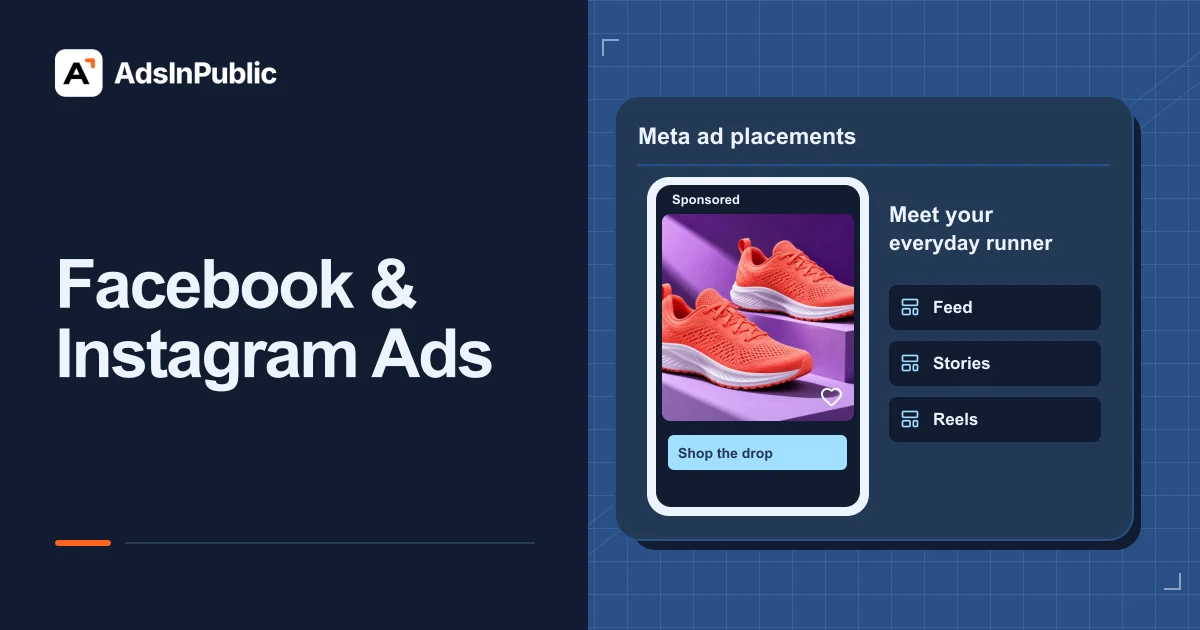
Follow Meta’s aspect ratio guidance: 4:5 vertical for single-image Facebook Feed ads, 1:1 for Instagram Feed, 9:16 to capture the full screen in Stories and Reels, and 16:9 for in-stream video. You can upload up to 10 images or videos for a single ad and let Meta fit each placement, though uploading your own variations gives you more control than auto-cropping.
Expect Advantage+ creative to be part of the default experience: your images and videos get optimized into versions Meta predicts each viewer will engage with, including generative features like text generation, image animation, video expansion and AI music. Some enhancements are on by default and can be switched off individually. I’d audit that panel on every launch and disable anything that would mangle your brand (auto-added music is a common offender).
A final warning from Meta’s own learning phase guidance: don’t flood the account. “When you create many ads and ad sets, the delivery system learns less about each.” A handful of genuinely distinct concepts per ad set beats twenty near-identical variants.
Which placements should you run?
Leave Advantage+ placements on unless you have a specific reason not to. Meta’s pricing guidance recommends running at least six placements manually when you opt out of automatic delivery. The ecosystem now includes Facebook and Instagram Feeds, Stories and Reels, Marketplace, in-stream video (16:9), and as of January 2026, Threads in every market: Meta announced that ads on Threads would expand globally, with image, video and carousel formats and automatic placement in Advantage+ and manual campaigns. It cited more than 400 million monthly active Threads users, a small placement today, but one worth watching in breakdowns before you switch anything off.
How do launch, learning phase and measurement actually work?
Launch with realistic budgets, broad audience settings, and your creative set. Then leave it alone. During the learning phase, performance is less stable and CPAs run higher; Meta’s best practices are explicit: wait until the ad set exits learning before editing, avoid unnecessary edits, avoid high ad volumes, and avoid frequent budget changes. If an ad set isn’t getting enough results, its status becomes “Learning limited.” Consider consolidating ad sets or optimizing for a lower-cost event before changing your targeting.
Measurement is where most small-business accounts leak. The Pixel is browser-based and gets blocked; the Conversions API sends events from your server, platform, app or CRM directly to Meta and is processed like any other event source. If you have a Pixel, you can add website-event Conversions API coverage “in one click from Meta Events Manager, with no code”, and platforms like Shopify handle the plumbing for you. If you send the same event from both browser and server, deduplicate it: matching event_name and an identical event_id lets Meta count the action once, preferring whichever event arrives first. Without dedup, you’ll double-count purchases and budget against inflated numbers.
Finally, calibrate your judgment. Judge Advantage+ campaign budget campaigns at the campaign level, watch placement breakdowns before excluding anything, and remember Meta’s own caveat that a high Opportunity Score “does not reflect your actual or future performance”. It measures compliance with recommendations, not profitability.
What do Facebook and Instagram ads cost?
Third-party CPC and CPM benchmarks vary by industry, geography and season. Meta’s pricing documentation explains how ad quality, bidding strategy, performance goal, budget type and objective affect auction costs. The practical implications: better creative lowers your effective costs because it raises ad quality; broader audiences often lower them because the auction has room to find cheaper conversions (Meta notes audiences of at least 2 million often perform better); and Q4 is expensive for everyone. The right reference point is your own account’s cost per result over rolling weeks.
Why do Meta ads fail?
Four failure modes account for most wreckage I see:
- Constant editing. Every significant edit resets learning, and “results aren’t necessarily indicative of future performance” while an ad set is still learning. Batch changes; give each configuration at least a week unless it’s actively burning money.
- Over-narrow audiences. Stacking detailed-targeting restrictions fights the delivery system you’re paying for. Use Advantage+ audience with hard controls instead of layered interest exclusion logic.
- Missing Conversions API. Browser-only tracking undercounts iOS and ad-blocked conversions, which starves the optimizer. If Events Manager shows poor event coverage, fix that first. The one-click setup plus deduplication is a low-effort fix with high payoff.
- Trusting in-platform ROAS blindly. Platform-attributed conversions show what Meta believes it caused, not incremental revenue. Watch blended metrics (total revenue against total spend) alongside platform numbers, and be skeptical when retargeting claims credit for sales that would have happened anyway.
Also know the compliance tripwires. Ads in special ad categories (housing, employment, financial products and services (which replaced the credit category for US advertisers in January 2025), and social issues, elections or politics) must be declared at setup and lose access to age, gender, ZIP-code, lookalike and exclusion targeting. And Meta’s advertising standards prohibit ads that assert or imply personal attributes (“Do you have back pain?” implies health), with automated review typically completing within 24 hours.
What will change going into 2027?
The direction is unambiguous: more automation, less manual control, and value concentrated in creative and signal quality. Meta’s roadmap around GEM points toward multimodal learning and “agentic advertiser automation”, systems that configure campaigns for you. The defensible position isn’t resisting that; it’s being the advertiser whose data is complete (Pixel plus Conversions API, deduplicated) and whose creative pipeline keeps producing distinct, on-brand concepts. Clean signal and strong creative compound; setup tricks get deprecated.
Frequently asked questions
Do I still need the Meta Pixel if I have the Conversions API? Yes, the recommended setup sends the same events from both browser and server, with deduplication, because each source recovers what the other misses.
Is Advantage+ audience better than manual targeting? Usually, and Meta reports lower cost per result for it across objectives, but it isn’t recommended for retargeting, and Meta itself suggests A/B testing it against manual for almost all campaign types. Test both before committing.
How long should I wait before judging a campaign? Meta advises running for at least six to seven days so the delivery system can learn, and an ad set typically needs about 50 results in the week after its last significant edit to exit the learning phase. Judge after a full learning cycle, not after day two.
What’s the minimum spend to start? Meta suggests starting from around $5 per day, but that’s a floor, not a recommendation. Match budget to your cost per result so ad sets can realistically reach ~50 optimization events per week. Otherwise you’ll be stuck learning limited.
Your launch checklist
- Business portfolio created; ad account, Facebook Page and Instagram connected; team access granted individually.
- Payment method added; account spending limit set if you want one.
- Meta Pixel installed; Conversions API enabled; events deduplicated with matching
event_nameandevent_id; test events verified in Events Manager. - Objective chosen to match your business outcome; conversion location and performance goal set deliberately (Purchase, not clicks, for online sellers).
- Special ad category declared if you advertise housing, employment, financial products, or social issues, elections or politics.
- Advantage+ audience on, with age, geography and exclusions set as hard controls.
- Advantage campaign budget on for multi-ad-set campaigns; ad set budgets for protected tests.
- Creative uploaded at 4:5 (Facebook Feed), 1:1 (Instagram Feed) and 9:16 (Stories and Reels); Advantage+ creative enhancements audited and unwanted ones switched off.
- Advantage+ placements left on; Threads placement noted for later breakdown review.
- First edit scheduled no earlier than one week after launch, and only if the data demands it.
Sources and references
- How to choose the right ad objective in Meta Ads Manager. Meta Business Help Center.
- About the Advantage+ campaign experience. Meta Business Help Center.
- About Advantage+ audience. Meta Business Help Center.
- About Advantage+ campaign budget. Meta Business Help Center.
- Conversions API. Meta for Developers.
- About deduplication for Meta Pixel and Conversions API events. Meta Business Help Center.
- How to choose a special ad category. Meta Business Help Center.
- Ads on Threads: one year in. Meta Business News.
- About the learning phase. Meta Business Help Center.
- Best practices for aspect ratios in Meta ads. Meta Business Help Center.
- Meta Advertising Standards. Meta Transparency Center.
- About Advantage+ creative. Meta Business Help Center.
- Meta’s Generative Ads Recommendation Model (GEM). Meta Engineering.
- Meta ads pricing. Meta Business.
- About opportunity score in Meta Ads Manager. Meta Business Help Center.