
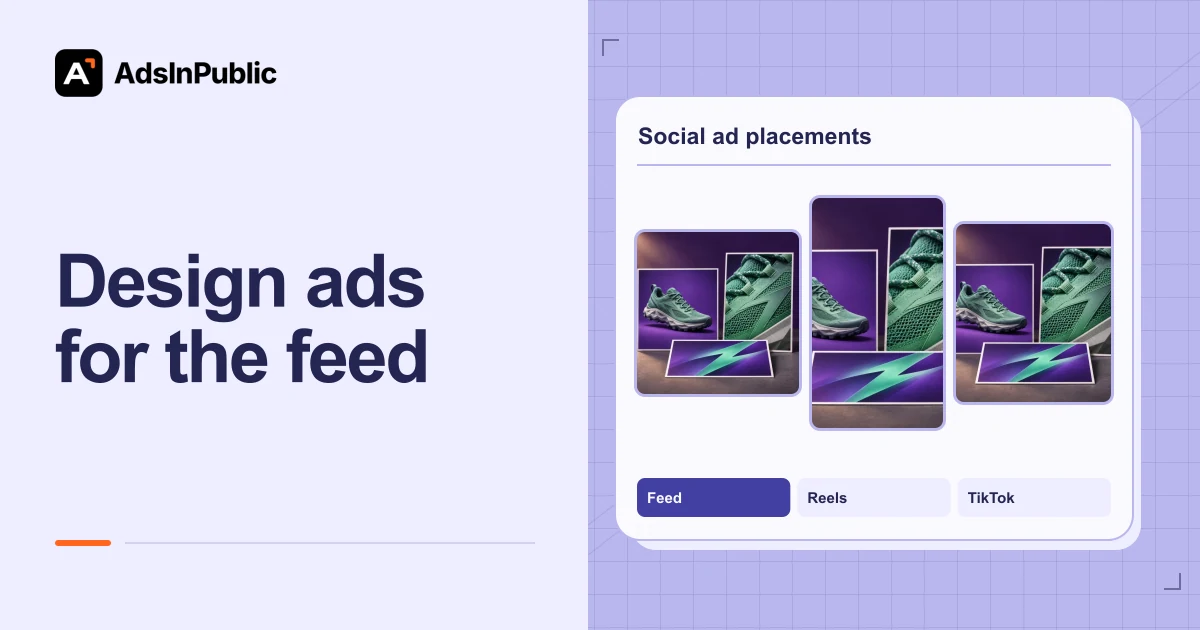
Use the first two to three seconds to show the problem or the promise. Build the opening frame for where the ad will run. Facebook Feed, Instagram Reels and TikTok differ in aspect ratio, how polished the footage should look and how sound is used. Adapt the same idea for each placement so the hook, captions and call to action work in the feed.
What actually makes a creative stop the scroll?
The platforms describe the same phenomenon from different angles. Meta’s aspect-ratio guidance tells advertisers that on mobile, “images and videos should cover as much screen as possible to grab attention” (Meta’s aspect-ratio best practices). Screen dominance is the entry fee. TikTok is more specific about time: its creative guidance tells advertisers to present the content proposition within the first three seconds for recall and to “prioritize your hook in the first 6 seconds” to lift engagement and watch time, using suspense, surprise, or emotion (TikTok’s creative best practices).
Put together, the recipe is: fill the screen, open on something visually alive, and get the promise on record almost immediately. What does not stop the scroll is the classic brand ad grammar including a logo-first opening, a slow establishing shot, a jingle. Nobody in a feed is waiting for your intro.
Meta marks captions “optional but recommended” and sound “optional, but strongly recommended” on Reels ads (Meta’s Reels ads guide), while TikTok treats sound as “a basic requirement” and its feed is a sound-on culture. The safe reading: design every cut so the message survives muted, then add sound that earns its place.
Which specs actually matter per placement?
Numbers first, because the wrong export is the most common reason a good creative underperforms. These come from Meta’s Ads Guide placement pages and TikTok’s ad spec documentation:
| Placement | Aspect ratio | Recommended resolution | Max file size | Duration | Formats |
|---|---|---|---|---|---|
| Facebook Feed video | 4:5 | 1440×1800 | 4 GB | 1 sec – 241 min | MP4, MOV, GIF (H.264, AAC 128kbps+) |
| Instagram Feed | 1:1 recommended for single-image ads | Not specified | Not specified | Not specified | Same media pipeline as Facebook Feed |
| Instagram Reels | 9:16 | 1440×2560 | 4 GB | 0 sec – 15 min | MP4, MOV (H.264, AAC 128kbps+) |
| Instagram Stories | 9:16 | Not specified | Not specified | Not specified | Vertical, full-screen |
| TikTok In-Feed | 9:16 (16:9 and 1:1 accepted) | 540×960 minimum vertical | 500 MB | Up to 10 min | MP4, MOV, MPEG, 3GP, AVI |
Sources: Meta’s Facebook Feed video specs, the Instagram Reels video specs page, Meta’s aspect-ratio recommendations (1:1 for Instagram Feed single-image ads, 9:16 “to capture the whole screen” for Stories and Reels), and TikTok’s In-Feed ad specifications.
Ignore the generous duration ceilings. A 241-minute allowance on Facebook Feed and a 10-minute allowance on TikTok are technical limits, not recommendations. TikTok’s creative guidance treats short, front-loaded video as the working format, and its structure advice is hook, unique selling points, then a strong call to action (TikTok’s creative best practices). In practice, cuts in the 10–25 second range are where feed ads live.
How do you build a hook that earns the stop?
The hook is three things stacked in one moment: the first frame (what the eye lands on), the first spoken line, and the first on-screen text. All three should point at the same idea. Write five versions before you shoot anything, and cut each as its own variant. The differences should be structural, not cosmetic.
Patterns that hold up across all three platforms:
- The audience callout. “If you run a clinic and hate no-shows…”. Name who it’s for in the first breath. Specificity buys attention from the exact people you paid to reach.
- The problem, shown not told. Open on the mess, the error message, the tangled cable, the slow line. The viewer recognizes their own situation before a single word lands.
- The demonstration. Start mid-action, the knife through the tomato, the app screen already doing the thing. TikTok’s guidance explicitly favors suspense and surprise as hook emotions.
- The number or claim with stakes. “We cut onboarding from two weeks to an afternoon”. A concrete outcome beats an adjective every time.
- The pattern interrupt. Something visually wrong or unexpected (a hand entering frame, a reversed clip, an object where it shouldn’t be). Use it to buy the next second, not as the whole idea. An interrupt with no promise underneath reads as noise.
Two craft rules that separate working hooks from gimmicks. First, the hook must be honest. The opening should lead into what the ad actually sells, because bait-and-switch hooks inflate early views and crater trust (and conversion) at the click. Second, the hook is also the thumbnail’s first frame; if the video starts on a black frame or a fading logo, the ad is invisible before it begins.
What do safe zones do to your design?
Both platforms crop or cover the edges of vertical video with UI including usernames, captions, CTA buttons, the seller message. Meta’s Reels guidance advises leaving roughly 14% clear at the top, 35% at the bottom, and 6% on each side so key elements don’t sit behind the profile icon or the CTA (Meta’s Reels ads guide). TikTok tells advertisers to keep content inside the UI safe zone and publishes downloadable templates for in-feed placements (TikTok’s creative best practices).
Practically: keep captions and key text in the middle 60–70% of the frame vertically, never split a sentence across the bottom fifth, and check every export against the platform’s template before launch. Text that gets covered isn’t just wasted. It can make the ad illegible at the exact moment you paid for.
How should captions and on-screen text work?
Burn captions into the file rather than relying on platform auto-captions. You control the styling, the position inside safe zones, and the timing. TikTok’s guidance on pacing is unusually specific: it recommends “displaying 5-10 words per second when using text”, fast, chunky, readable at thumb-scroll speed (TikTok’s creative best practices).
Keep the primary text (the caption above the ad) doing a different job than the video. Meta recommends primary text of around 44 characters for Reels ads (Meta’s Reels ads guide). Use that line for a promise or offer that adds something to the video. Every element of the ad should earn its space; if the caption repeats the on-screen text word for word, you spent your one line of attention twice.
Why does a native, unpolished look outperform?
This is the part brands resist, and the platforms say it anyway. TikTok’s creative guidance tells advertisers to go for “a DIY or not overly polished style” so ads blend with organic content, and to feature real people (creators, employees, or customers) to grab attention (TikTok’s creative best practices). The feed is full of handheld, natural-light, single-take video; a glossy, agency-finished spot reads as an interruption, and interruptions get scrolled past.
Native does not mean careless. It means handheld framing, natural light, plain-spoken lines, captions in the platform’s visual grammar, and a person on screen who seems to actually use the product. Production value should go into audio clarity and lighting the speaker’s face (the two things viewers notice immediately) rather than into titles and transitions.
On Meta placements, one technical habit protects the native look: upload your own variations per aspect ratio instead of letting the system auto-adjust. Meta supports up to 10 images or videos for a single ad, previews each variation in its aspect-ratio view, and lets you opt out of automatic padding, cropping, or AI-enabled expansion. I’d audit that view on every launch and switch off anything that mangles the composition (Meta’s aspect-ratio best practices).
How many creatives should you test at once?
Creative volume is where “scroll-stopping” becomes measurable. TikTok’s own testing framework recommends “between 3-5 different creatives per ad group and 3-5 diversified ad groups per campaign,” with variants that differ significantly rather than cosmetically, and (when performance fades) refreshing by adding new creatives into existing ad groups rather than rebuilding them (TikTok’s creative best practices).
The testing logic that follows: change the hook, keep the body. Since the hook is the highest-leverage three seconds, produce 3–5 genuinely different openings (callout, problem, demo, number, interrupt) against one shared middle and close. That isolates what you’re actually measuring.
Four metrics cover the diagnosis, all readable in-platform:
- Hook rate. Divide three-second video views by impressions to see how often people stay past the opening.
- Hold rate. Check how much of the video viewers watch after the opening.
- CTR. Divide link clicks by impressions to see how often people click.
- Cost per result. Divide spend by the number of purchases, leads or other desired outcomes.
Benchmarks for these vary enormously by vertical and placement, and neither platform publishes universal targets, compare variants against each other and against your own account’s baseline, not against a chart from a blog.
What are the music rules?
Music is where scroll-stopping creative most often gets legal trouble. The rules differ by platform and they are strict:
- Instagram (and Facebook) ads: Meta’s Reels guidance says Reels ads should not contain licensed music, and recommends original audio or royalty-free music from the Meta Sound Collection instead.
- TikTok ads: content that promotes a brand, product, or service should use music from TikTok’s Commercial Music Library, which is pre-cleared for commercial use. TikTok states its licenses for music outside the CML don’t cover commercial use in content.
The trap is obvious: the sounds that make organic posts feel current are precisely the ones that aren’t licensed for ads. License stock music separately if neither platform library fits the cut. And if the video includes AI-generated visuals or voice, disclosure rules apply on top. Meta applies “AI info” labels to detectable AI content and TikTok expects AI content to be labeled, so keep a note of what each cut contains.
What mistakes kill scroll-stopping creative most often?
- Logo-first openings. The first frame is prime attention real estate; a static logo spends it on a name the viewer doesn’t care about yet. Open on the problem or the product in action.
- One export for every placement. A 16:9 website hero video letterboxed into Stories wastes most of the screen. Meta’s own guidance is to cover as much screen as possible and upload placement-specific variations (Meta’s aspect-ratio best practices).
- Text outside safe zones. Beautiful captions that end up behind the CTA button are invisible. Check the 14/35/6 margins on Reels and TikTok’s templates on every export.
- Over-polish. Glossy transitions, jingles, and agency voiceovers signal “ad” in a feed where “ad” is a reason to scroll. Match the visual grammar of the feed you’re buying.
- A single creative. One variant is a coin toss with no reflip. Volume with structural differences is the only honest way to find what stops your audience.
- Judging on day one. Delivery and learning need time on every platform; editing a campaign hours after launch resets the signal you just paid to collect. Give each test a real window before the kill decision.
A phone-first production checklist
- Write the one-line promise, then five hook variants (callout, problem, demo, number, interrupt).
- Shoot vertical 9:16 as the master, at 1080p or better, with the speaker’s face lit by a window or soft key light.
- Record audio close to the speaker. A cheap lavalier beats a phone mic at arm’s length.
- Burn in captions at TikTok’s pacing (5–10 words per second), positioned inside the middle of the frame.
- Export per placement: 4:5 for Facebook Feed, 1:1 for Instagram Feed, 9:16 for Reels, Stories, and TikTok.
- Check every export against safe zones (Reels ~14% top / 35% bottom / 6% sides; TikTok templates).
- Pick cleared music (Meta Sound Collection or TikTok’s Commercial Music Library) before the edit, not after.
- Upload per-placement variations in Ads Manager and audit the aspect-ratio view; switch off unwanted auto-adjustments.
- Launch 3–5 hook variants against a shared body; keep budgets flat until a winner emerges.
- Judge on hook rate, hold rate, CTR, and cost per result after a real learning window. Then refresh hooks in the winning ad group rather than rebuilding it.
Frequently asked questions
Do I need a different video size for every placement? Effectively yes for the placements that matter. Meta recommends 4:5 for Facebook Feed single-image ads, 1:1 for Instagram Feed, and 9:16 to fill Stories and Reels screens, and its Ads Manager supports uploading up to 10 assets per ad so each placement gets a purpose-built variation. A single cropped export is possible, but you lose control over how each placement frames your message.
Does sound still matter if I design for muted viewing? Both. Meta marks sound as optional but strongly recommended on Reels ads and requires captions-style legibility habits; TikTok treats sound as a basic requirement and its feed is sound-on. The workable default: captions and on-screen text that carry the message alone, plus licensed sound that lifts engagement where it plays.
Can I use a trending sound in my ad? No on TikTok, and licensed tracks are off-limits on Meta Reels ads. TikTok restricts brand-promoting content to its Commercial Music Library, whose licenses are pre-cleared for commercial use. Licenses for music outside the CML don’t cover commercial use. Meta points advertisers to original audio or its Meta Sound Collection. License stock music separately if neither library fits.
How long should the ad be? As short as the offer allows. TikTok allows up to 10 minutes for in-feed ads but structures its guidance around a hook in the first 6 seconds and a tight body; Meta’s Reels placement accepts up to 15 minutes with the same front-loading logic. For variant testing, 10–25 seconds per cut keeps production cheap and diagnosis clean.
Sources and references
- TikTok Ads Manager: Creative best practices for performance ads. Hook timing (proposition in 3 seconds, hook in the first 6), 9:16 at 720p+, safe zones, 5–10 words per second captions, DIY style, real people, 3–5 creatives per ad group and 3–5 ad groups per campaign, refresh guidance.
- Meta Business Help Center: Best practices for aspect ratios in Meta ads. 4:5 recommended for Facebook Feed single-image ads, 1:1 for Instagram Feed, 9:16 for Stories/Reels, 16:9 for in-stream; “cover as much screen as possible”; up to 10 assets per ad; aspect-ratio view with opt-outs for padding/cropping/expansion.
- Meta Ads Guide: Facebook Feed video ad specs. 4:5, 1440×1800 recommended, 4 GB max, 1 sec–241 min, MP4/MOV/GIF, H.264 with AAC 128kbps+.
- Meta Ads Guide: Instagram Reels video ad specs. 9:16, 1440×2560 recommended, 0 sec–15 min, 4 GB max; captions optional-but-recommended and sound “optional, but strongly recommended”; ~14%/35%/6% clearance guidance; ~44-character primary text; no licensed music, Meta Sound Collection recommended.
- TikTok Ads Manager: Auction In-Feed Ads specifications. 9:16 with 540×960 minimum vertical, 500 MB cap, up to 10 minutes, MP4/MOV/MPEG/3GP/AVI.
- TikTok Support: Commercial use of music on TikTok. Commercial Music Library pre-clearance for brand-promoting content; licenses for music outside the CML don’t cover commercial use.