
Pair LinkedIn’s member-level targeting with a Lead Gen Form, gated document or booking flow that sends leads straight to your CRM. Decide how to qualify those leads before you launch. In a 2025 study of 138 B2B advertisers with $57.6 million in measured spend, the median advertiser paid $376 per raw lead (metadata.io). Use your deal value and qualification rate to decide how much you can afford to pay.
What do you need before you spend a dollar?
Four things. Skipping any of them is how accounts end up with expensive leads nobody follows up on.
A LinkedIn Page and an ad account. Campaign Manager attaches to a company page, which formats like Thought Leader Ads require.
The LinkedIn Insight Tag with conversion tracking. Conversions can only be verified if the Insight Tag (LinkedIn’s site-wide snippet) is installed on your website (LinkedIn Help). Create conversions under Measure → Conversion tracking, define what counts as a lead, and attach them to your ad sets.
A plan to sync Lead Gen Forms into your CRM. LinkedIn natively integrates with platforms like Salesforce Sales Cloud and HubSpot, with a partner directory for others; unsupported platforms fall back to CSV export and manual import (LinkedIn Help). Decide which CRM field maps to which form field before launch. Leads sitting in an unimported CSV are worth zero.
A budget you can judge honestly for at least a month. The minimum daily budget is $10 for any ad format and the minimum lifetime budget for a new campaign is $100 (LinkedIn). Set a higher budget if you need enough leads to compare ads.
How does LinkedIn’s campaign structure work now?
LinkedIn began renaming Campaign Manager’s levels in October 2025. The top level is now a campaign, previously called a campaign group. Under it, an ad set (previously a campaign) holds budget, targeting and bidding. Ads sit inside the ad set. Some accounts may still show the older names during the rollout (LinkedIn Help).
Inside each ad set you pick a campaign objective, and the choice matters because LinkedIn uses objective-based pricing: each objective has a different billable event, charged only when it occurs (LinkedIn). Objectives group into three funnel stages (LinkedIn):
| Group | Built for | Typical billable events |
|---|---|---|
| Awareness | Impression-based reach | Impressions |
| Consideration | Clicks, video views, social actions | Clicks, views, engagements |
| Conversions | Lead generation and tracked site actions | Leads, conversions |
For B2B lead gen you’ll live mostly in Conversions: the Lead Generation objective with Lead Gen Forms, or Website Conversions driving to a landing page or booking flow. Note that some formats pair only with certain objectives; Document Ads support Brand Awareness, Engagement, and Lead Generation (LinkedIn).
Which ad formats actually produce B2B leads?
LinkedIn offers more formats than you need, and for lead generation only a few earn their keep (formats overview):
| Format | What it is | When I’d use it for leads |
|---|---|---|
| Single Image + Lead Gen Form | Feed ad, one visual, one CTA | The default starting point; cheapest to produce, easy to test |
| Document Ads | PDF previewed in-feed, optionally gated behind a Lead Gen Form | Gated guides and benchmarks |
| Video Ads | Motion and sound in-feed | Demo snippets that warm an audience for retargeting |
| Conversation Ads | Inbox message, up to 5 CTA buttons, can open a Lead Gen Form | Webinar invites to warm audiences |
| Message Ads | Single inbox message, one CTA | Simpler event invites |
| Thought Leader Ads | Sponsor a real person’s post, keeping their name and voice | Trust-building around executives |
Two deserve attention. Document Ads let members read a document in the feed, gated with a Lead Gen Form; LinkedIn measures downloads and what percentage of the document was viewed, a rare signal of content quality (LinkedIn). Conversation Ads differ from Message Ads in flexibility: multiple CTA buttons that can open a Lead Gen Form inside the message flow, with branching replies you design (LinkedIn Help). LinkedIn recommends testing both. Messaging is intrusive enough that one format can irritate where the other converts.
Thought Leader Ads work differently: you sponsor an eligible post from a real member (an executive, employee, or external creator) keeping their name, photo, and voice. Permission isn’t optional; LinkedIn sends the author an approval request, and you can’t edit the post (LinkedIn). LinkedIn cites 252% higher click-through rates versus conventional single image ads (a vendor claim, so treat it as directional), but the structural reason it works is real: a person’s post carries engagement social proof a brand ad can’t fake.
How precise can LinkedIn’s targeting actually get?
This is the platform’s core advantage and the reason the premium price exists. LinkedIn targets members, not cookies, so attributes come from professional profiles (LinkedIn Help): job title (free-text titles are mapped to standardized ones with an AI model), job function and seniority (mapped through LinkedIn’s taxonomy), years of experience, company industry, headcount, revenue, and funding stage (up to 200 company names per ad set), plus skills, education, geography, and member groups. Attributes combine through AND-OR targeting logic, which turns “VP of Engineering at Series B SaaS companies in North America” into an actual audience rather than a wish.
On top sits Matched Audiences, built from your own data: uploaded contact or company lists, website visitors, page followers, people who opened or submitted your Lead Gen Forms, event respondents, and ad engagers. New segments take up to 48 hours to build (occasionally 72), and accounts can hold up to 1,000 segments (LinkedIn Help). In the EEA and Switzerland, matched audience sizes may be limited to consenting members.
For prospecting expansion, LinkedIn’s classic lookalike audiences were discontinued on February 29, 2024, replaced by Predictive Audiences: feed a seed source (contact list, conversions, form submissions, or a retargeting audience with 300+ matched members), and LinkedIn’s AI builds a larger audience predicted to behave similarly. Seeds range from 300 to 300,000 rows, up to 200 predictive audiences per account, refreshed daily (LinkedIn Help).
One hard constraint governs everything: the minimum audience size is 300 member accounts, and LinkedIn blocks saving with an “Audience Too Narrow” warning if selections cut reach too far (LinkedIn Help). Define the audience around the people who can act on the offer. If you need to reach CTOs, a segment of 20,000 CTOs is a better starting point than a general audience of 200,000 senior managers.
How do you get qualified leads from Lead Gen Forms?
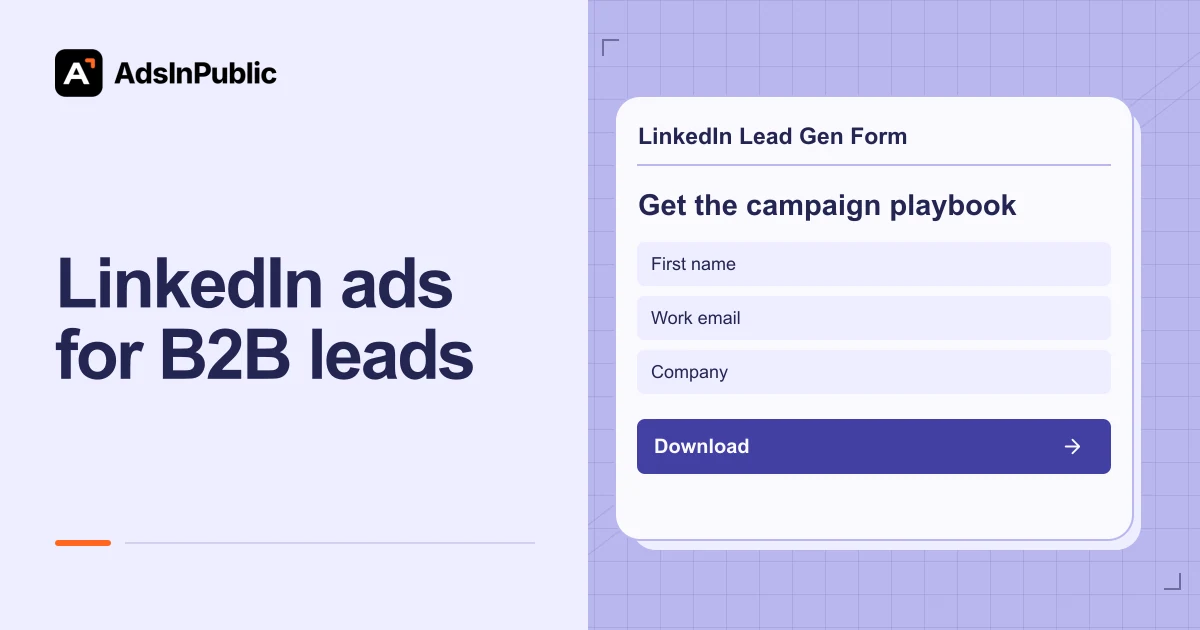
Lead Gen Forms are LinkedIn’s highest-converting capture mechanism because they remove typing entirely. Clicking an ad’s CTA pre-populates the form with profile details; you can select up to 12 informational fields, add up to three required custom questions (multiple choice or free text), and up to five consent checkboxes that don’t count against the cap (LinkedIn Help). After submission, members see a thank-you message where you can link to a landing page or booking flow.
That frictionlessness is the qualification problem. Submitting costs two taps, so forms collect plenty of the merely curious. In the 2025 metadata.io study, 5.9% of clicks converted to a lead on average, with costs per lead varying enormously by targeting and offer (metadata.io). Low-friction forms inflate volume and deflate quality simultaneously.
I’d judge lead-gen forms on qualification rate, not volume. Four levers move it:
- Custom questions that disqualify. Three questions is the cap, so spend them on deal-breakers: company size, buying timeline, current tooling. Every answer is a CRM routing decision made before sales sees the lead.
- Work email validation. LinkedIn’s “Validate work email” setting blocks free domains like Gmail and Yahoo, and warns submission rates may drop when members won’t share a work address (LinkedIn Help). Usually worth it for high-ACV sales motions.
- Disqualifying copy. Say who the offer isn’t for, in the ad. Self-selection before the click is the cheapest qualification there is.
- A closed feedback loop. Sync forms to Salesforce or HubSpot automatically (LinkedIn Help), then send qualification outcomes back to LinkedIn through the Conversions API, which is the prerequisite for LinkedIn’s qualified-lead optimization (LinkedIn Help). Without it, the auction keeps optimizing toward whoever fills forms fastest, not who buys.
Add a valid privacy policy URL for form approval and check whether your CRM integration supports custom questions. LinkedIn names Microsoft as the exception (LinkedIn Help).
What should you budget and how should you bid?
The official floor: $10 daily for any ad format, $100 minimum lifetime for new campaigns (LinkedIn). LinkedIn suggests a $25 daily default for new advertisers and $50–100 for existing ones on USD accounts. Budgets live at the ad-set level, and a campaign-level budget can cap spend across grouped ad sets.
Two pacing mechanics surprise people: with a daily budget, LinkedIn may spend up to 100% over the daily amount on a given day, though weekly spend won’t exceed seven times the daily budget (LinkedIn Help); and minimum lifetime budgets scale with campaign duration.
Bidding comes in three flavors (LinkedIn Help):
| Strategy | How it works | Best for |
|---|---|---|
| Maximum delivery | Automated bidding aiming to spend your full budget; billed CPM | New accounts learning an audience |
| Cost cap | You set a target cost per result; LinkedIn treats it as a bid benchmark | Controlling cost per lead once you have history |
| Manual bidding | You set the exact bid per key result | Experienced operators monitoring daily |
LinkedIn provides bid suggestions for cost cap and manual bidding, and is candid that auction pricing guarantees nothing. Higher bids buy competitiveness and fuller delivery, not better results (LinkedIn Help). Start on maximum delivery while the system learns, then move to cost cap once you can name an acceptable cost per qualified lead.
For expectations, the 2025 metadata.io benchmark reports a spend-weighted average of $9.39 CPC and $63.19 CPM, with cost per lead from $109 at the 10th percentile to $1,340 at the 90th (metadata.io). The spread is the lesson: costs are set by audience competitiveness and offer conversion.
For example, $6,000 per month at $202 per lead buys about 30 leads. If half qualify, you pay about $400 for each of the 15 qualified leads. If 20% of them close, acquisition costs about $2,000 per deal. A product with a $60,000 annual contract value has more room to absorb that cost than one with a $6,000 contract. Compare the cost with your margin and payback target before setting a budget.
What does creative that generates leads look like?
The feed rewards native tone and punishes banner ads in a LinkedIn costume.
One idea, one CTA per ad. Single image ads carry a clear message, a strong visual, and a single call to action (LinkedIn). Three offers in one unit blur every conversion path and muddy reporting.
Put the asset in the feed. Document Ads let buyers read before committing. Use the preview to show why the document is worth downloading and the form to capture leads (LinkedIn). Where the content is the value, this beats cold traffic to a landing page.
Borrow a face. Thought Leader Ads turn attention into trust because the post is unmistakably a person’s, with visible likes, comments, and reposts (LinkedIn). Sponsor posts that already perform organically.
Structure the account into three campaigns: cold prospecting, warm retargeting fed by Matched Audiences, and a testing sandbox. Keep one audience segment per ad set so results stay legible, and promote winners rather than experimenting inside always-on campaigns.
How do you measure qualified leads instead of raw leads?
Raw form fills are LinkedIn’s vanity metric. Three layers:
LinkedIn-side tracking. Install the Insight Tag, create conversions under Measure → Conversion tracking with categories like Download or Lead, and associate them with ad sets. Status stays “Unverified” until real traffic confirms the tag (LinkedIn Help).
CRM-side truth. Native integrations push form leads into Salesforce or HubSpot automatically (LinkedIn Help). Your qualification stage (MQL, SQL, whatever your team calls it) is the number that matters.
Closed-loop optimization. LinkedIn’s Conversions API is a server-to-server connection that sends CRM outcomes back to the platform, including offline actions like phone sales and event leads; deduplicates against the Insight Tag, and enables qualified-lead optimization for ad sets (LinkedIn Help). Direct integration typically takes two to four weeks; partner integrations are faster but may carry fees.
Judge spend on cost per qualified lead and its payback against ACV. If your form disqualifies 60% of submissions, a $180 raw lead costs $450 per qualified lead. Use that figure in your budget and payback calculations.
What are the most common mistakes to avoid?
- Audiences too narrow to spend evenly. The 300-member floor is a legal minimum, not strategy.
- Judging on last click. Long B2B cycles mean people research across channels; killing prospecting after two flat weeks usually kills your retargeting pool next.
- Junk leads treated as volume wins. Without custom questions and CRM feedback, form volume climbs while sales trust falls.
- Ignoring Matched Audiences. Retargeting and list uploads are included at no extra cost and consistently produce the cheapest qualified leads in the account (LinkedIn Help).
- Sending traffic to a generic homepage. Every click should land where the ad’s promise continues, a dedicated page, a gated document, or a booking flow.
Launch checklist
- LinkedIn Page connected; Campaign Manager access confirmed.
- Insight Tag installed and verified on every page you’ll count as a conversion (LinkedIn Help).
- Conversions created with sensible categories, values, and attribution windows.
- Lead Gen Form built: 12 fields or fewer, three qualifying questions, work email validation on, privacy policy URL valid (LinkedIn Help).
- CRM sync tested end to end, a test submission visible in your CRM (LinkedIn Help).
- Targeting built from attributes plus Matched Audiences; audience comfortably above 300 members and not flagged too narrow (LinkedIn Help).
- Budget above the $10/$100 minimums with at least a month of honest runway (LinkedIn).
- Bidding set, maximum delivery to start, cost cap planned once you have cost-per-lead history (LinkedIn Help).
- Creative matched to funnel stage: prospecting gets documents and thought leader posts; retargeting gets conversation ads and booking CTAs.
- Reporting agreed on cost per qualified lead, with the CRM stage as the source of truth.
Frequently asked questions
What’s a realistic cost per lead on LinkedIn for B2B? The best current dataset (138 B2B advertisers in 2025) reports a spend-weighted average of $202 per lead and a median of $376, spanning $109 to $1,340 at the 10th and 90th percentiles (metadata.io). Measure your own once tracking is live.
Are Lead Gen Forms better than sending traffic to a landing page? Forms convert more clicks because they’re pre-filled; the trade-off is quality, managed with custom questions and work email validation (LinkedIn Help). High-ACV businesses usually start with forms plus strong qualification questions.
Do I need the Insight Tag if I only run Lead Gen Forms? Not for forms alone, but website retargeting and site conversions require it (LinkedIn Help). Install it on day one; retrofitting costs you data.
How small can my target audience be? LinkedIn enforces a 300-member minimum and blocks too-narrow audiences (LinkedIn Help). In practice, keep cold audiences in the thousands so budget spends evenly, and let Matched Audiences handle the precise layers.
What happened to LinkedIn lookalike audiences? Discontinued February 29, 2024, and replaced by Predictive Audiences, which use a seed source of 300+ matched members to build an AI-generated expansion audience (LinkedIn Help).
Sources and references
- Changes to campaign hierarchy in Campaign Manager: LinkedIn Help: Official announcement of the October 2025 rename (campaign group → campaign, campaign → ad set) and tracking parameter changes.
- How to select your campaign objective: LinkedIn tutorial: Defines the awareness, consideration, and conversion objective groups.
- LinkedIn advertising costs and pricing: LinkedIn Marketing Solutions: Objective-based pricing, billable events, and auction mechanics.
- Making the most of your budget: LinkedIn best practices: Confirms $10 daily and $100 lifetime minimums, suggested defaults, and campaign budgets.
- Campaign and ad set budgets: LinkedIn Help: Daily pacing rules (up to 100% overage in a day, 7× weekly cap) and lifetime budget minimums.
- Campaign and ad set bidding strategies: LinkedIn Help: Maximum delivery, cost cap, manual bidding, bid suggestions, and accelerated delivery.
- LinkedIn Ads Guide: LinkedIn Marketing Solutions: Current catalog of ad formats with use cases and specs.
- Thought Leader Ads: LinkedIn Marketing Solutions: Sponsorship mechanics, approval requirement, and LinkedIn’s own performance claims.
- Document Ads: LinkedIn Marketing Solutions: In-feed document preview, Lead Gen Form gating, supported objectives, and document-viewed measurement.
- Difference between message ads and conversation ads: LinkedIn Help: Single-CTA vs. multi-CTA inbox formats and Lead Gen Form integration.
- Targeting options for LinkedIn Ads: LinkedIn Help: Member attributes, selection limits, 300-member minimum audience, AND-OR logic reference.
- Get started with LinkedIn Matched Audiences: LinkedIn Help: List uploads, retargeting sources, 48-hour build times, segment limits, EEA restrictions.
- Predictive Audiences: LinkedIn Help: Lookalike discontinuation (Feb 29, 2024), seed requirements, and limits.
- About Lead Gen Forms: LinkedIn Help: Pre-filled fields, 12-field and 3-question caps, work email validation, thank-you experience.
- Integrate Lead Gen Forms with your CRM: LinkedIn Help: Native CRM integrations, partner directory, CSV fallback.
- Set up conversion tracking (Insight Tag): LinkedIn Help: Conversion sources, tracking methods, verification requirements.
- LinkedIn Conversions API: LinkedIn Help: Server-to-server data sharing, qualified-lead optimization, implementation timelines.
- LinkedIn Ads cost benchmarks for B2B: metadata.io: 2025 study of 138 B2B advertisers ($57.6M spend): CPC, CPM, CTR, and cost-per-lead percentiles.