
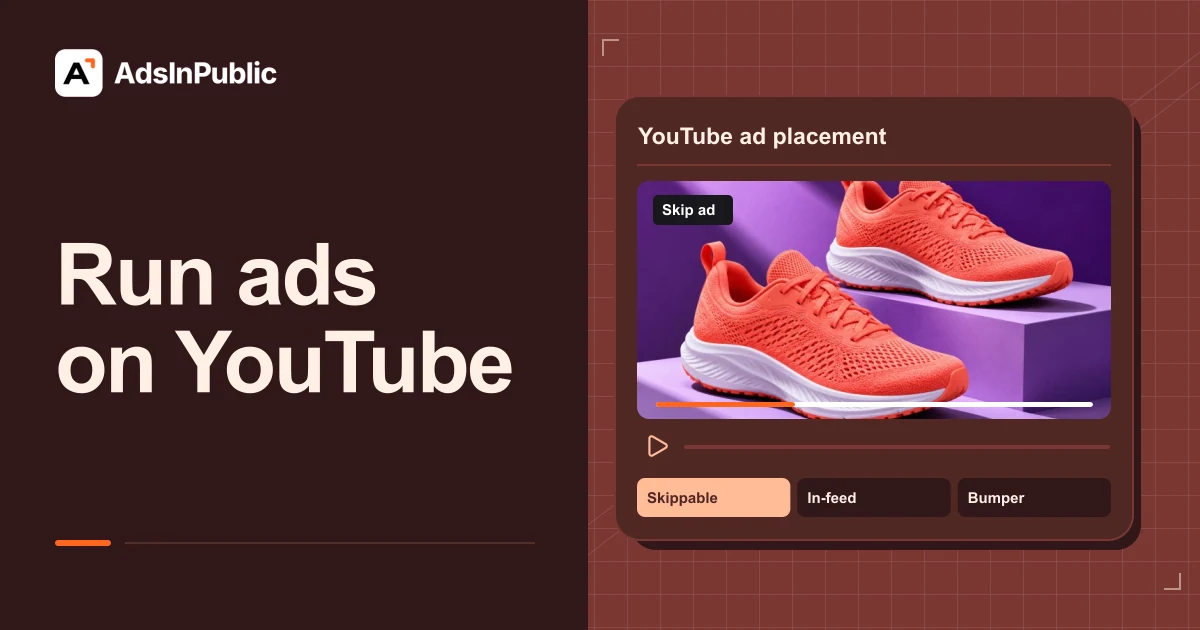
Choose a goal and match it to a YouTube format before setting your budget. Make the first five seconds count because viewers can skip skippable ads at that point. Non-skippable auction ads run for up to 30 seconds. Formats can charge by view, impression or click, so compare campaigns on the outcome you want, such as visits or conversions.
What are the YouTube ad formats, and which should you start with?
Google’s video ad formats documentation lists six formats. Match the billing model to your campaign goal.
| Format | Where it appears | Skippable? | Length | How you pay |
|---|---|---|---|---|
| Skippable in-stream | YouTube watch pages, Playables games, Google video partners | After 5 seconds | No max; under 3 min recommended | Cost per view (after 30 seconds, the full video, or an interaction) |
| Non-skippable in-stream | YouTube videos, Playables, video partners (YouTube TV if eligible) | No | 60 seconds or shorter | Target CPM, per impression |
| In-feed video | Search results, Home feed, Watch Next, Subscription feeds | Click-to-watch | No max | Per click to watch (or per view at 10 seconds autoplay in Video View campaigns) |
| Bumper | YouTube videos, video partners | No | 5–6 seconds | Target CPM, per impression |
| Shorts ads | Between Shorts in the Shorts feed | Swipe up/down anytime | Under 60 seconds recommended | Per impression, per TrueView view (10 seconds, CTA click, or engagement), or per engagement |
| Masthead | Top of the YouTube Home feed | Autoplays muted | 30 seconds desktop | Reservation-only via Google sales rep; CPM or CPH |
Beginner translation: start with skippable in-stream if you want traffic and conversions. It’s the workhorse, billed per view, and you only pay when someone watches at least 30 seconds (or the whole video) or interacts. Use in-feed video when you have a video worth seeking out. It behaves like a search result, appearing in YouTube search and the Home feed, and you pay when someone clicks to watch. Bumpers are six-second brand reminders, best run after a skippable campaign has built familiarity. Shorts ads are the vertical mobile play, skippable with a swipe, billed on impressions or engaged views. Non-skippable and masthead inventory are premium-awareness buys (reservation-based, sales-rep territory) and a beginner’s money is better spent elsewhere.
How much do YouTube ads cost?
Google doesn’t publish rate cards; cost emerges from the auction and varies by format, targeting, and season. WordStream’s advertising-costs guide (updated July 2026) puts the averages at a CPV of $0.10–$0.30, a CPC of $0.50–$3.00, and a CPM of $4–$10 for YouTube ads (WordStream’s online advertising costs guide), with the important caveat that different formats bill on different events entirely, so a “cheap” CPM campaign and an “expensive” CPV campaign aren’t comparable numbers.
What a beginner can control: skippable in-stream campaigns bill you only for engaged views (a viewer who watches 30 seconds or clicks), which makes wasted spend on disinterested skippers structurally impossible. That’s the single best property of YouTube advertising for a new advertiser: the pricing model filters attention before you pay for it. Budget mechanics work like the rest of Google Ads. Daily budgets are averages, with overdelivery up to 2× on a single day and a monthly ceiling of 30.4× the average (Google’s overdelivery rules). There’s no published minimum spend; the practical floor is whatever produces enough views for the algorithm to optimize against.
How do you set up your first video campaign?
Work through it in this order. The sequence matters more than any single setting.
1. Wire conversion tracking before you build anything. Google’s own conversion-measurement guidance stresses defining what counts as valuable (a purchase, a sign-up, a call) because every automated bid strategy optimizes toward the conversions you feed it (Google’s conversion tracking documentation). For a video campaign, that usually means tracking site purchases or leads, with the Google tag installed sitewide and a test conversion verified before launch.
2. Choose the goal that matches the business need. Awareness campaigns (CPM-billed, broad reach) suit launches and brand-building; consideration and traffic campaigns (CPV, clicks to site) suit direct response. A beginner selling a product should almost always pick the conversion-or-traffic path, because view counts are a means, not an outcome. Video view campaigns exist for the awareness tier. In-feed billing switches to a per-view model at 10 seconds of autoplay (Google’s video ad formats documentation).
3. Pick targeting that matches intent, not just demographics. Google lets you target audience segments or select the topics, keywords, channels and videos where the ads can run. Audience options include affinity, life events, in-market and custom segments, as well as your own lists and detailed demographics. Google’s audience-segment documentation. Custom segments deserve a beginner’s attention: you build them by “entering keywords, URLs and apps,” and they’re available in Video campaigns, showing your ad to people likely interested in those terms on pages, apps, and videos, so a running-shoe brand can target marathon interest terms, marathon-training sites, and running apps in one segment. For a first campaign, narrower beats broader: one tightly themed custom segment or one placement list of relevant channels teaches you more than a national broadcast blast. Tighten geographically to where you can actually serve or ship.
4. Set a budget you can judge honestly. As with everything in Google Ads, the real constraint is learning volume, not the daily number. An underfunded video campaign generates too few engaged views for the system to find your audience. Match the daily budget to your CPV expectations: at $0.10–$0.30 per view (the WordStream range), $20/day buys roughly 70–200 views; at scale that’s the difference between a test and a trickle.
5. Let the default bidding do its job, then graduate. Skippable campaigns default to cost-per-view billing; resist manually fiddling with bid knobs in week one. The one setting worth a deliberate choice: whether the campaign optimizes for views (default) or for conversions, and the second option only makes sense once conversion tracking shows enough volume.
What makes a video ad survive the first five seconds?
The skip button is the defining constraint of YouTube advertising, and Google’s own requirements acknowledge the reality: video ads “must include a name or logo that clearly represents the advertiser” (Google’s video ad requirements policy). Branding can’t be saved for the outro, because most skippable viewers never reach one. The practical craft, in order:
Open on motion or tension, not a title card. A black frame, a slow logo build, or a jingle intro is a paid invitation to skip. The first frame should look like something happening.
Say what it is within three seconds. Product in frame, problem named, or promise spoken. Viewers decide whether to keep watching before they decide what they’re watching. Google’s policy page adds that videos under 3 minutes “typically perform better” (Google’s video ad requirements policy); in practice, cuts of 15–40 seconds carry most direct-response skippable ads, with the brand shown early and the call to action both spoken and on screen.
Design the audio off. YouTube mutes masthead autoplay by default and a meaningful share of in-stream impressions play muted; captions and on-screen text should carry the message alone. Unlike TikTok (where sound is a requirement of the culture), YouTube’s watch-page experience tolerates silent viewing, so a muted-safe edit is table stakes.
Match the vertical format where you buy it. Shorts ads live in a 9:16 vertical feed where viewers swipe past instantly, so repurposed horizontal video wastes the canvas. Shoot vertical, hook in the first swipeable second, and keep it under the recommended 60 seconds.
How do you measure what a YouTube campaign actually did?
Four layers, in order of honesty:
- Views and view rate. Did the format earn attention? A view on skippable inventory means 30 seconds or an interaction (Google’s video ad formats documentation), which is a real engagement bar, not an impression.
- CPV. Track the cost of each engaged view. Compare it with your campaign history and WordStream’s $0.10 to $0.30 range for the same format.
- CTR and site behavior. Did views become visits, and did visits behave like interested people? UTM-tag every video campaign so your analytics can separate YouTube traffic from everything else.
- Conversions and cost per conversion. Measure how often viewers take the action you set as your campaign goal and how much each action costs.
One calibration note: YouTube often acts as the first touch, the video someone watches today, the search they run next week, the purchase your search campaign claims. Judge brand-building campaigns on reach, frequency, and branded-search lift rather than last-click conversions, and judge direct-response campaigns on conversions. Confusing the two jobs is how beginners conclude YouTube “doesn’t work.”
What mistakes trip up beginners most?
- Saving the brand for the end. Google requires a clear advertiser name or logo in the ad (Google’s video ad requirements policy), and beyond compliance, viewers who skip at five seconds never see your outro. Brand early.
- The 90-second spot. Nobody owes you their attention. Under 3 minutes is Google’s own performance guidance; direct-response cuts live well below that.
- No conversion tracking. Without it you’re buying views blind, and conversion-based bidding is impossible to switch on later without the history it needs.
- Comparing formats on the same metric. A bumper’s CPM and a skippable campaign’s CPV measure different events. Judge each format against its own billing model and its own goal.
- Ignoring placement quality. Skippable ads can serve across Google video partners, hundreds of sites and apps beyond YouTube. Review placement reports and exclude where your audience isn’t.
- Chasing the masthead. It’s a reservation-only, sales-rep product with premium pricing; it is not a beginner’s tool, no matter how much the Home feed impresses you.
Your first-campaign checklist
- Conversion tracking live: Google tag installed, test conversion verified, “what counts as valuable” written down.
- One goal chosen (awareness or direct response) and one format matched to it, skippable in-stream for most beginners.
- Targeting narrowed: custom segment or placement list, geography you can serve.
- Video cut with branding in the first five seconds, hook before any title card, captions readable muted.
- Daily budget sized to produce meaningful view volume at expected CPV.
- UTMs applied to the destination URL; analytics ready to separate YouTube sessions.
- Two weeks on the calendar before the first verdict; views, view rate, CPV, CTR, and conversions reviewed in that order.
Frequently asked questions
How much should a beginner spend on YouTube ads? Enough to buy meaningful view volume at realistic rates: with average CPVs of $0.10–$0.30, $15–$30/day produces roughly 50–300 engaged views daily, enough for the system to learn and for you to see patterns within two weeks. Below that, you’re paying for noise.
What’s the difference between CPV and CPM billing? CPV charges you when a viewer watches 30 seconds (or the whole shorter video) or interacts with it; CPM charges per thousand impressions regardless of engagement. Skippable in-stream bills on views, non-skippable and bumper inventory bill on impressions, which is why their numbers can’t be compared directly.
Can people really skip my ad in five seconds? Yes, on skippable in-stream inventory, viewers can skip after exactly five seconds, and you aren’t charged unless they stay for 30 seconds, finish a shorter video, or interact. That skip rule is why the first five seconds carry the brand and the hook.
Do I need a professional video? No, but you need a deliberate one. The requirements are modest: vertical or horizontal per placement, clear advertiser branding, content that follows Google’s video policies. And the craft bar is a working first five seconds and legible captions. A phone-shot demo with a strong hook beats a polished film with a slow intro, in feed behavior if not in aesthetics.
Should I run YouTube ads if my competitors don’t? That’s often the best reason to run them. YouTube’s auction prices attention by format and audience, and inventory in uncontested niches tends to be cheap relative to search ads for the same intent. Views at the WordStream range of $0.10–$0.30 cost a fraction of clicks in many verticals. The trade is that views aren’t clicks: a YouTube campaign builds the familiarity that later shows up as branded search, so pair it with a way to capture that demand (a branded-search campaign or at minimum strong organic listings) before you scale.
Sources and references
- Google Ads Help: About video ad formats. Verified format-by-format: placements, skip rules (5 seconds skippable; swipe-skip Shorts), length caps, and billing per format (CPV after 30 seconds or interaction; tCPM for non-skippable/bumper; in-feed per click; masthead reservation CPM/CPH; Shorts TrueView at 10 seconds).
- Google Ads policy: Video ad requirements. Non-skippable length caps (30 seconds auction / 60 seconds reservation), the sub-3-minute performance note, tracking-pixel restrictions, and the requirement that ads “must include a name or logo that clearly represents the advertiser.”.
- WordStream/LocaliQ: The Comprehensive Guide to Online Advertising Costs. YouTube averages: CPV $0.10–$0.30, CPC $0.50–$3.00, CPM $4–$10, with the format-dependent pricing caveat (guide updated July 2026).
- Google Ads Help: About overdelivery and your average daily budget. Daily budgets as averages, 2× daily overdelivery, 30.4× monthly cap.
- Google Ads Help: About conversion measurement. Defining valuable conversions, tracking setup, and the 90-day GCLID window for offline uploads.
- Google Ads Help: About audience segments. Segment types (affinity, life events, in-market, custom, data segments, detailed demographics) and custom segments built from keywords, URLs, and apps, available in Video campaigns.